Running Multiple Apps with Traefik, Docker, and Cloudflare Tunnels
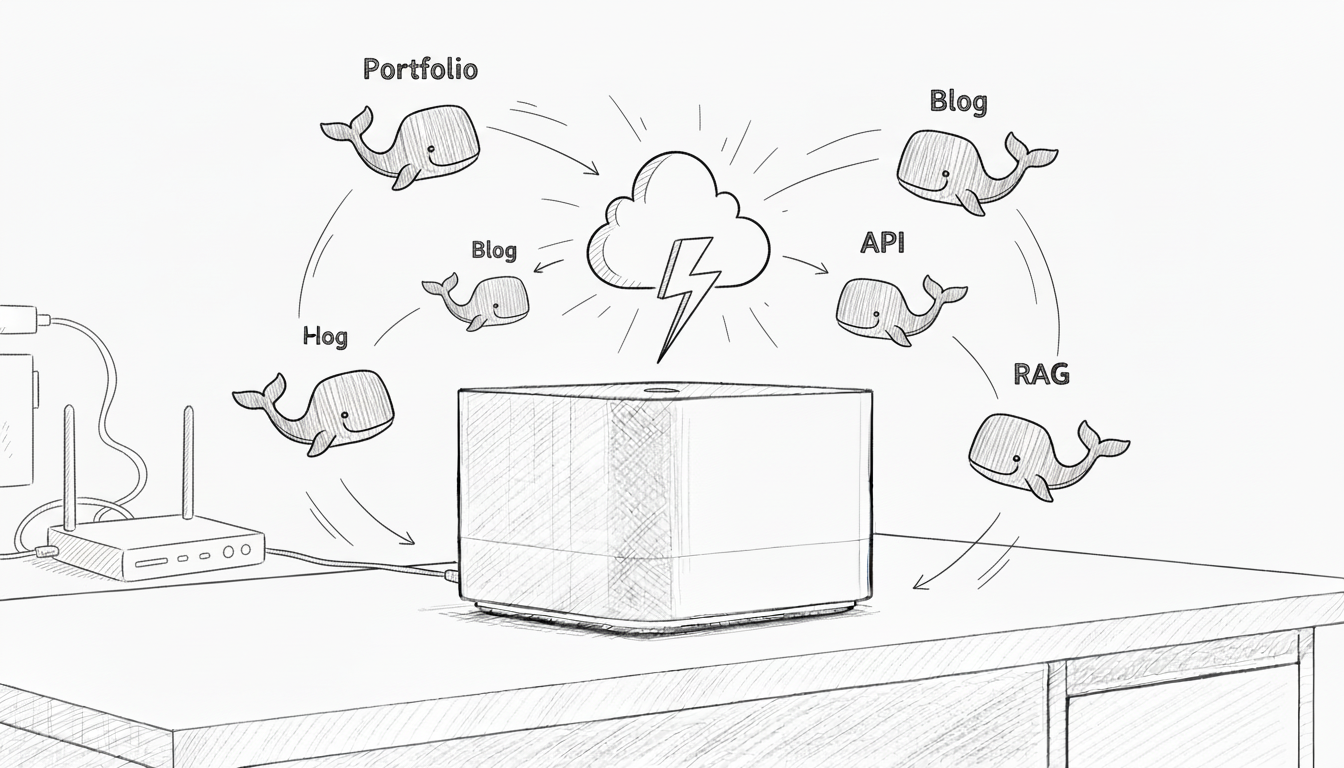
After the Mac Mini setup from the last post, I got greedy. The M4 was idling at 15% CPU with 8 GB of RAM untouched, the Cloudflare tunnel was already wired up, and the marginal cost of another app was effectively zero. So I started adding more.
Five apps later, the lesson is straightforward: you don't need to cram them into one giant compose file. Each app gets its own directory, its own compose file, its own database. They share one Docker network, one reverse proxy (Traefik), and one Cloudflare tunnel. Routing and TLS are declared with Docker labels on each app, so there's no central config file to keep in sync. That's the whole pattern.
Don't do this
The temptation, when you start, is to put everything in a single docker-compose.yml:
services:
  app1-frontend: ...
  app1-backend:  ...
  app1-db:       ...
  app2-frontend: ...
  app2-backend:  ...
  app2-db:       ...
services:
  app1-frontend: ...
  app1-backend:  ...
  app1-db:       ...
  app2-frontend: ...
  app2-backend:  ...
  app2-db:       ...
It works until it doesn't. One service crashes and you restart the whole stack. You update one app and risk breaking the other three. Ports collide, dependencies tangle, the file balloons. The blast radius of any change is the entire system.
The pattern
                  Mac Mini M4
                        |
                        v
              Cloudflare Tunnel
                        |
                        v
                     Traefik
                  (proxy + TLS)
                        |
         ┌───────┬──────┼──────┬───────┐
         v       v      v      v       v
        App1    App2   App3   App4    ...
        (own    (own   (own   (own
        stack)  stack) stack) stack)
One shared web Docker network connects every app to Traefik. Traefik watches the Docker socket and discovers routes from labels on each container, so there's no central routing file. Cloudflare hands inbound traffic to Traefik, which decides which app gets it. Each app's database stays on its own internal network, unreachable from anywhere else.
File layout:
~/apps/
  ├── portfolio/
  │   ├── docker-compose.yml
  │   ├── frontend/
  │   ├── backend/
  │   └── .env
  ├── api-project/
  │   ├── docker-compose.yml
  │   ├── api/
  │   └── .env
  └── shared/
      └── traefik/
          ├── docker-compose.yml
          └── .env
Step 1: the shared network
docker network create web
docker network create web
That's the entire setup step. The network persists across container restarts and reboots. Every app's compose file references it as external.
Step 2: an app
A typical app compose file. Note the labels on each service Traefik should expose; the database has none, so Traefik never sees it.
services:
  frontend:
    build: ./frontend
    container_name: portfolio-frontend
    networks: [web, portfolio-internal]
    labels:
      - "traefik.enable=true"
      - "traefik.http.routers.portfolio.rule=Host(`portfolio.yourdomain.com`)"
      - "traefik.http.routers.portfolio.entrypoints=web"
      - "traefik.http.services.portfolio.loadbalancer.server.port=80"
    restart: unless-stopped

  backend:
    build: ./backend
    container_name: portfolio-backend
    env_file: .env
    networks: [web, portfolio-internal]
    labels:
      - "traefik.enable=true"
      - "traefik.http.routers.portfolio-api.rule=Host(`api.portfolio.yourdomain.com`)"
      - "traefik.http.routers.portfolio-api.entrypoints=web"
      - "traefik.http.services.portfolio-api.loadbalancer.server.port=4000"
    restart: unless-stopped

  db:
    image: postgres:16-alpine
    container_name: portfolio-db
    env_file: .env
    volumes:
      - portfolio-db:/var/lib/postgresql/data
    networks: [portfolio-internal]
    restart: unless-stopped

networks:
  web:
    external: true
  portfolio-internal:

volumes:
  portfolio-db:
services:
  frontend:
    build: ./frontend
    container_name: portfolio-frontend
    networks: [web, portfolio-internal]
    labels:
      - "traefik.enable=true"
      - "traefik.http.routers.portfolio.rule=Host(`portfolio.yourdomain.com`)"
      - "traefik.http.routers.portfolio.entrypoints=web"
      - "traefik.http.services.portfolio.loadbalancer.server.port=80"
    restart: unless-stopped

  backend:
    build: ./backend
    container_name: portfolio-backend
    env_file: .env
    networks: [web, portfolio-internal]
    labels:
      - "traefik.enable=true"
      - "traefik.http.routers.portfolio-api.rule=Host(`api.portfolio.yourdomain.com`)"
      - "traefik.http.routers.portfolio-api.entrypoints=web"
      - "traefik.http.services.portfolio-api.loadbalancer.server.port=4000"
    restart: unless-stopped

  db:
    image: postgres:16-alpine
    container_name: portfolio-db
    env_file: .env
    volumes:
      - portfolio-db:/var/lib/postgresql/data
    networks: [portfolio-internal]
    restart: unless-stopped

networks:
  web:
    external: true
  portfolio-internal:

volumes:
  portfolio-db:
The two-networks-per-service trick is what makes this clean. The frontend and backend join web so Traefik can reach them. The database stays on portfolio-internal only, so nothing outside the app can talk to it. Each app is an island with one bridge to the proxy.
Bring it up:
cd ~/apps/portfolio
docker compose up -d
cd ~/apps/portfolio
docker compose up -d
A second app is the same pattern. New directory, its own compose file, its own internal network name, its own router labels. Repeat as needed.
Step 3: Traefik
~/apps/shared/traefik/docker-compose.yml:
services:
  traefik:
    image: traefik:v3.1
    container_name: traefik
    command:
      - "--providers.docker=true"
      - "--providers.docker.exposedbydefault=false"
      - "--providers.docker.network=web"
      - "--entrypoints.web.address=:80"
    ports:
      - "80:80"
    volumes:
      - /var/run/docker.sock:/var/run/docker.sock:ro
    networks: [web]
    restart: unless-stopped

networks:
  web:
    external: true
services:
  traefik:
    image: traefik:v3.1
    container_name: traefik
    command:
      - "--providers.docker=true"
      - "--providers.docker.exposedbydefault=false"
      - "--providers.docker.network=web"
      - "--entrypoints.web.address=:80"
    ports:
      - "80:80"
    volumes:
      - /var/run/docker.sock:/var/run/docker.sock:ro
    networks: [web]
    restart: unless-stopped

networks:
  web:
    external: true
A few things to notice. exposedbydefault=false means Traefik ignores any container that doesn't explicitly set traefik.enable=true, so a stray container can't accidentally appear on the public internet. The Docker socket is mounted read-only because Traefik only needs to watch it. And there's no central routing config file at all; Traefik builds the router table from labels on running containers and updates it live as you start and stop services.
Bring it up:
cd ~/apps/shared/traefik
docker compose up -d
cd ~/apps/shared/traefik
docker compose up -d
At this point, the apps are reachable on localhost:80 with the right Host header. Time to give them real TLS.
Step 4: real SSL via Cloudflare DNS
Cloudflare's edge already terminates TLS for users with their own certificate, and the tunnel from edge to your Mac is encrypted. So strictly, Traefik doesn't need its own certs to be safe. There's still a good case for issuing real Let's Encrypt certs at the origin: it gives you defense in depth (the cloudflared-to-Traefik hop is also TLS), it lets you flip Cloudflare into "Full (strict)" SSL mode, and it future-proofs the setup if you ever expose a service outside the tunnel.
The wrinkle when you're behind a tunnel is that the HTTP-01 challenge can't reach you. Cloudflare DNS points at the tunnel, not at your home IP, and there's no public port for Let's Encrypt to hit. The DNS-01 challenge works fine, though: it just writes a TXT record. Traefik supports DNS-01 against the Cloudflare API natively.
First, create a scoped API token. In the Cloudflare dashboard: My Profile → API Tokens → Create Token → "Edit zone DNS" template. Scope it to the specific zone(s) you're using. Save the token in ~/apps/shared/traefik/.env:
CF_DNS_API_TOKEN=<the token>
Then update the Traefik compose file to add the HTTPS entrypoint, the ACME resolver, and a place to persist certs:
services:
  traefik:
    image: traefik:v3.1
    container_name: traefik
    command:
      - "--providers.docker=true"
      - "--providers.docker.exposedbydefault=false"
      - "--providers.docker.network=web"
      - "--entrypoints.web.address=:80"
      - "--entrypoints.websecure.address=:443"
      - "--certificatesresolvers.cloudflare.acme.dnschallenge=true"
      - "--certificatesresolvers.cloudflare.acme.dnschallenge.provider=cloudflare"
      - "[email protected]"
      - "--certificatesresolvers.cloudflare.acme.storage=/letsencrypt/acme.json"
    env_file: .env
    ports:
      - "80:80"
      - "443:443"
    volumes:
      - /var/run/docker.sock:/var/run/docker.sock:ro
      - letsencrypt:/letsencrypt
    networks: [web]
    restart: unless-stopped

networks:
  web:
    external: true

volumes:
  letsencrypt:
services:
  traefik:
    image: traefik:v3.1
    container_name: traefik
    command:
      - "--providers.docker=true"
      - "--providers.docker.exposedbydefault=false"
      - "--providers.docker.network=web"
      - "--entrypoints.web.address=:80"
      - "--entrypoints.websecure.address=:443"
      - "--certificatesresolvers.cloudflare.acme.dnschallenge=true"
      - "--certificatesresolvers.cloudflare.acme.dnschallenge.provider=cloudflare"
      - "[email protected]"
      - "--certificatesresolvers.cloudflare.acme.storage=/letsencrypt/acme.json"
    env_file: .env
    ports:
      - "80:80"
      - "443:443"
    volumes:
      - /var/run/docker.sock:/var/run/docker.sock:ro
      - letsencrypt:/letsencrypt
    networks: [web]
    restart: unless-stopped

networks:
  web:
    external: true

volumes:
  letsencrypt:
Then update each exposed service in the app compose files to use the websecure entrypoint and the Cloudflare resolver:
labels:
  - "traefik.enable=true"
  - "traefik.http.routers.portfolio.rule=Host(`portfolio.yourdomain.com`)"
  - "traefik.http.routers.portfolio.entrypoints=websecure"
  - "traefik.http.routers.portfolio.tls.certresolver=cloudflare"
  - "traefik.http.services.portfolio.loadbalancer.server.port=80"
labels:
  - "traefik.enable=true"
  - "traefik.http.routers.portfolio.rule=Host(`portfolio.yourdomain.com`)"
  - "traefik.http.routers.portfolio.entrypoints=websecure"
  - "traefik.http.routers.portfolio.tls.certresolver=cloudflare"
  - "traefik.http.services.portfolio.loadbalancer.server.port=80"
The first time Traefik sees a router with tls.certresolver=cloudflare, it asks Let's Encrypt for a cert, Let's Encrypt asks for a TXT record under _acme-challenge.portfolio.yourdomain.com, Traefik writes it via the Cloudflare API, Let's Encrypt verifies, and the cert lands in /letsencrypt/acme.json. Renewals happen on their own. You don't think about it again.
Restart the proxy so it picks up the new args:
cd ~/apps/shared/traefik
docker compose up -d
cd ~/apps/shared/traefik
docker compose up -d
Watch the logs the first time; cert issuance takes a few seconds and you'll see Traefik report success.
Step 5: the tunnel
Now point the tunnel at HTTPS on Traefik. ~/.cloudflared/config.yml:
tunnel: <your-tunnel-id>
credentials-file: /Users/<username>/.cloudflared/<tunnel-id>.json

ingress:
  - hostname: portfolio.yourdomain.com
    service: https://localhost:443
  - hostname: api.portfolio.yourdomain.com
    service: https://localhost:443
  - hostname: api.yourdomain.com
    service: https://localhost:443
  - service: http_status:404
tunnel: <your-tunnel-id>
credentials-file: /Users/<username>/.cloudflared/<tunnel-id>.json

ingress:
  - hostname: portfolio.yourdomain.com
    service: https://localhost:443
  - hostname: api.portfolio.yourdomain.com
    service: https://localhost:443
  - hostname: api.yourdomain.com
    service: https://localhost:443
  - service: http_status:404
Every hostname goes to https://localhost:443. That's Traefik. Traefik reads the Host header and forwards to the right container on the web network. Cloudflare doesn't need to know about your app topology; Traefik owns that.
Add the DNS records and reload the tunnel:
cloudflared tunnel route dns <tunnel-id> portfolio.yourdomain.com
cloudflared tunnel route dns <tunnel-id> api.portfolio.yourdomain.com
cloudflared tunnel route dns <tunnel-id> api.yourdomain.com
sudo launchctl kickstart -k system/com.cloudflare.cloudflared
cloudflared tunnel route dns <tunnel-id> portfolio.yourdomain.com
cloudflared tunnel route dns <tunnel-id> api.portfolio.yourdomain.com
cloudflared tunnel route dns <tunnel-id> api.yourdomain.com
sudo launchctl kickstart -k system/com.cloudflare.cloudflared
In the Cloudflare dashboard, you can now switch SSL/TLS mode for the zone to Full (strict). Edge-to-origin traffic is verified end to end.
How a request flows
A request to portfolio.yourdomain.com lands at Cloudflare's edge, gets TLS terminated against Cloudflare's cert, travels down the encrypted outbound tunnel to https://localhost:443 on the Mac, hits Traefik (which presents the Let's Encrypt cert it issued for that hostname), and Traefik forwards the decrypted request to the portfolio-frontend container on the web network. The response retraces the path. From the app's point of view, it's just receiving a plain HTTP request from a sibling container.
Day-to-day
Each app is independent:
# update portfolio
cd ~/apps/portfolio && docker compose pull && docker compose up -d

# tail one app's logs
cd ~/apps/api-project && docker compose logs -f

# restart one service
cd ~/apps/portfolio && docker compose restart backend

# see what Traefik thinks is routable
docker logs traefik | grep -i router
# update portfolio
cd ~/apps/portfolio && docker compose pull && docker compose up -d

# tail one app's logs
cd ~/apps/api-project && docker compose logs -f

# restart one service
cd ~/apps/portfolio && docker compose restart backend

# see what Traefik thinks is routable
docker logs traefik | grep -i router
Adding a new app: create the directory, write a compose file that joins web and declares its router labels, docker compose up -d. Traefik picks it up within a second or two and (if you set tls.certresolver=cloudflare) issues a cert on the spot. Add the tunnel route. Five minutes start to finish.
Resource usage
What's currently running on the base Mac Mini M4:
- Portfolio site (React + Express + Postgres)
- Side project API (Node + Redis + Postgres)
- Personal dashboard (Vue + SQLite)
- Internal tool (Python FastAPI, no database)
- A staging environment that comes and goes
Steady state: 15 to 20% CPU, around 8 of the 16 GB of RAM in use, 45 of the 256 GB SSD. Plenty of headroom.
When one big compose file is still right
Use a single compose file when the services are one logical app and ship together (a frontend pinned to a specific backend version, for example). Use multiple compose files when the apps are independent projects with their own update schedules. For self-hosting a portfolio of side projects, multiple compose files win every time.
A few things worth knowing
Router names must be unique across the whole proxy. Traefik discovers routers by label, not by container, so two services labeled traefik.http.routers.api... will fight. Prefix with the app name (portfolio-api, dashboard-api, etc.).
Lock down exposedbydefault=false. Without it, every container on the web network gets auto-published. With it, only services that explicitly set traefik.enable=true are exposed. Treat this as non-negotiable.
One .env per app. No shared secrets across projects. If one leaks, the blast radius is exactly one app. The Cloudflare API token lives in the Traefik directory only.
Watch disk usage. Multiple databases and a growing collection of images add up faster than you expect. docker system df once a week, docker system prune -a once a month.
Stagger backups. Five Postgres dumps at midnight is a real IO spike. Spread them across the early-morning hours.
Persist acme.json. It holds your certs and account key. The letsencrypt named volume in the compose file above does this; if you blow it away, Traefik re-issues everything from scratch and you can hit Let's Encrypt rate limits.
Closing
The point of this setup isn't density. It's that the second app costs nothing in operational complexity, and the third costs even less. Traefik handles routing and TLS without a config file you have to remember to update. You stop thinking about whether a project is "worth" hosting. You build it, drop it in ~/apps/, label the router, and move on. The tunnel doesn't care, the proxy doesn't care, and the Mac Mini definitely doesn't care.